10 Best Laptop Cooling Pads in 2026

10 Best Laptop Cooling Pads in 2026

A quality cooling pad can drop your laptop's CPU/GPU temperatures by 10-25°C, prevent thermal throttling, and extend your device's lifespan significantly. The global market hit $430 million in 2025 with 5.9% CAGR growth.

How We Ranked

We evaluated cooling performance (temperature reduction), noise levels (dB), build quality, fan speed (RPM), ergonomics, and value for money. Industrial turbo fans consistently outperformed traditional multi-fan designs in our tests.

Quick Buying Guide

  • Turbo fans (4000-5000 RPM) — Best for gaming laptops, drops temps 15-25°C but louder
  • Multi-fan designs (1000-2500 RPM) — Quieter operation, 5-10°C temperature reduction
  • Single large fan (160-200mm) — Balance of cooling and noise, good for productivity
  • Laptop size — Ensure compatibility (12-17" vs 15-21" models)
  • USB hub — 2-3 extra ports add value for peripherals
  • Height adjustment — 4-7 levels improve ergonomics during long sessions

Conclusion

For maximum cooling power, the Llano V12 Ultra and IETS GT500 V2 lead with industrial turbo fans. Budget users should consider Kootek or Havit for solid basic cooling under $30.

⭐ Top Picks

10
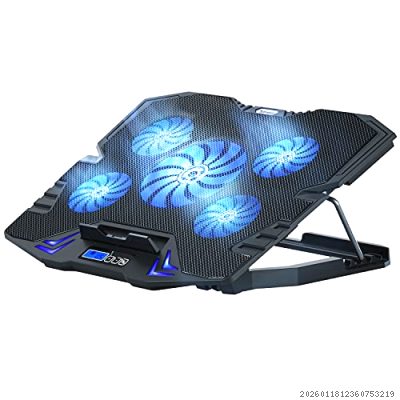
TopMate C5

TopMate C5

★★★★★ 3.8/5
$29.99 ±

Entry-level cooling pad with 5 fans (1 large central + 4 small) reaching 2500 RPM max. LCD screen displays real-time fan speed with 6 speed modes and 3 operation modes. Supports 12-15.6" laptops only. Temperature drop averages 5-8°C. Budget-friendly at $25-35 but limited cooling for gaming laptops.

✅ Pros
  • LCD screen with real-time speed display
  • 6 adjustable wind speeds
  • 5 height adjustment levels
  • Budget-friendly under $30
❌ Cons
  • Limited to 15.6" laptops maximum
  • Only 5-8°C temperature reduction
  • Plastic build feels cheap
  • Noisy at maximum speed
9
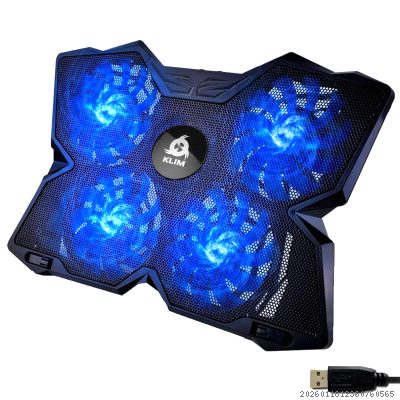
KLIM Wind

KLIM Wind

★★★★★ 3.9/5
$29.97 ±

Popular budget cooler with 4 fans at 1200 RPM maximum. Supports 11-19" laptops with 2 USB ports. Ultra-quiet at 44dB from head height. Sold over 500,000 units worldwide. However, TechRadar testing showed only 19.5°C rise during stress test — weakest cooling among mid-range pads. Best for light use, not intensive gaming.

✅ Pros
  • Ultra-quiet operation at 44dB
  • Supports laptops up to 19 inches
  • Lightweight and portable design
  • 500,000+ units sold worldwide
❌ Cons
  • Weakest cooling in its price range
  • Only 1200 RPM maximum fan speed
  • Single fixed height angle (16°)
  • Mediocre build quality
8
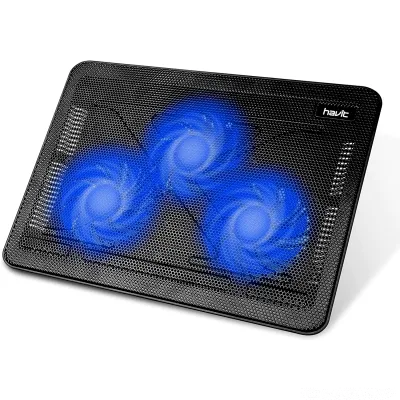
Havit HV-F2056

Havit HV-F2056

★★★★★ 4.1/5
$29.99 ±

Best-selling budget cooler on Amazon with 3 large 110mm fans at 1100 RPM producing 65 CFM airflow. Ultra-slim at 1.1" thickness, weighs only 1.6 lbs. Supports 15.6-17" laptops. 2 height settings with extra USB port. Whisper-quiet operation. Reliable for everyday use but lacks power for high-performance gaming rigs.

✅ Pros
  • Ultra-slim 1.1" profile, 1.6 lbs weight
  • Whisper-quiet 3-fan operation
  • 65 CFM strong airflow
  • 12-month warranty included
❌ Cons
  • Fixed fan speed — no adjustment
  • Only 2 height settings
  • No anti-slip stoppers included
  • USB-C adapter required for newer laptops
7
Cooler Master NotePal X-Slim

Cooler Master NotePal X-Slim

★★★★★ 4.2/5
$24.99 ±

Classic ultra-portable design with single silent 160mm fan generating 70 CFM at ~1500 RPM. Only 1.1" thick, weighs 1.5 lbs. Full metal mesh surface supports up to 17" laptops. 2 height settings. Cable management grooves. Proven reliable with 12+ year model history. Best for portability over raw cooling power.

✅ Pros
  • Ultra-slim design at 1.1" height
  • Silent 160mm fan with 70 CFM
  • Full metal mesh surface durability
  • 12+ years proven reliability
❌ Cons
  • Single fan limits cooling power
  • Only 2 height positions
  • No RGB or display features
  • Basic functionality only
6
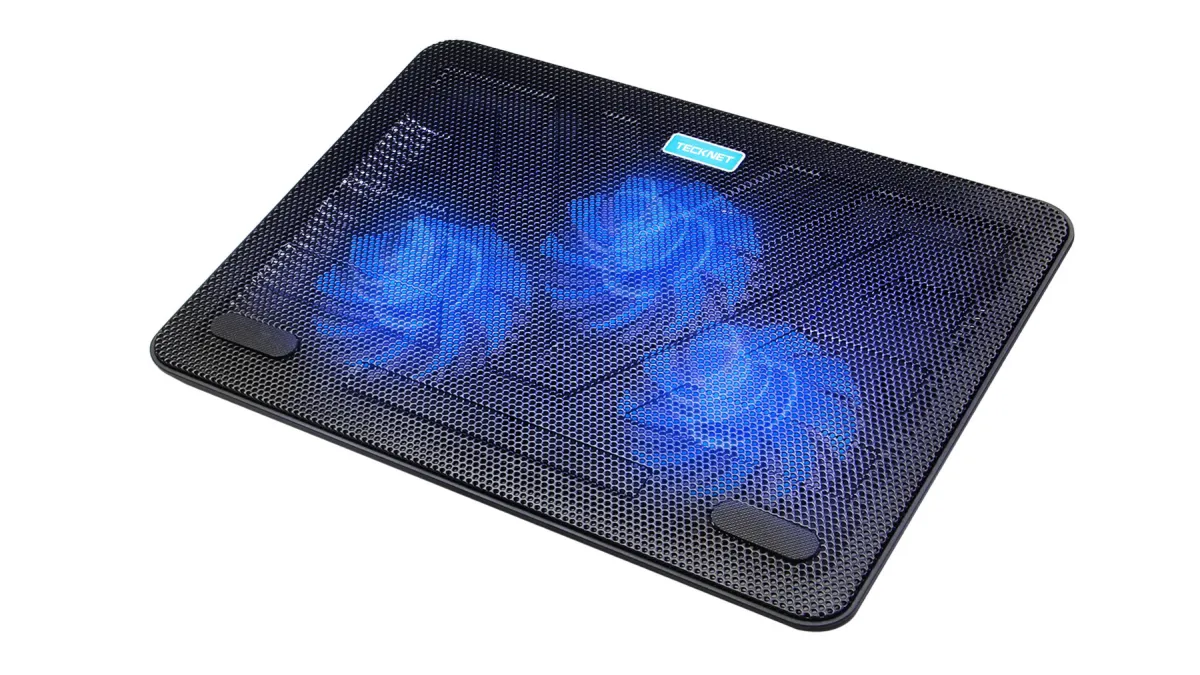
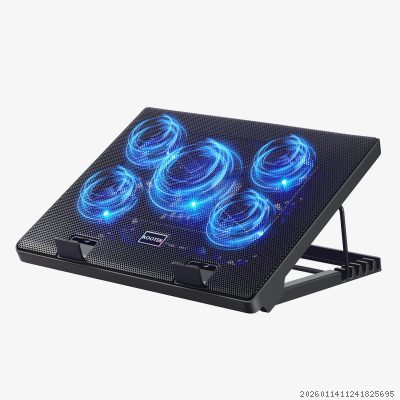
Kootek Chill Mat 5

Kootek Chill Mat 5

★★★★★ 4.4/5
$24.99 ±

Top-rated all-rounder with 5 fans (1x 120mm + 4x 70mm) providing excellent coverage. 6 height adjustment levels with dual USB hub. Supports 12-17" laptops. 2 switches control central and outer fans independently for 3 working modes. Metal mesh construction. Outstanding value at $25 with TechRadar "Best Overall" recommendation.

✅ Pros
  • 5 fans with independent control
  • 6 adjustable height settings
  • Dual USB hub included
  • TechRadar Best Overall pick
❌ Cons
  • Blue LED only — no RGB
  • Can be noisy with all 5 fans
  • Plastic body, not premium feel
  • USB 2.0 ports only
5
TopMate C11

TopMate C11

★★★★★ 4.3/5
$35.99 ±

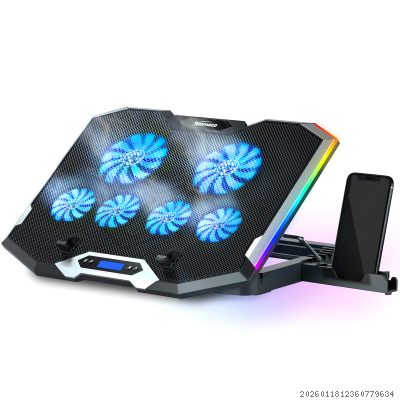
Upgraded 6-fan design with 2 large 100mm and 4 small 70mm fans featuring capacitor components for quieter operation. RGB blue LED lighting with phone holder. Supports 15.6-17.3" laptops. Braided USB cable for durability. Multiple height adjustments. Better build quality than C5 with thermosetting plastic shell and reinforced USB ports.

✅ Pros
  • 6 quiet fans with capacitor noise reduction
  • RGB lighting with phone holder
  • Braided cable, reinforced USB ports
  • Supports up to 17.3" laptops
❌ Cons
  • Limited to USB power only
  • Phone holder can get in the way
  • RGB not fully customizable
  • Heavier than basic models
4
Thermaltake Massive 20 RGB

Thermaltake Massive 20 RGB

★★★★★ 4.5/5
$49.99 ±

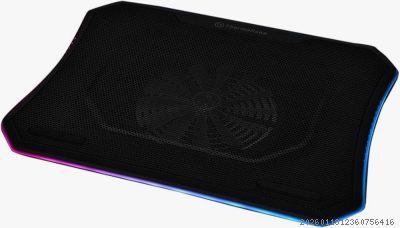
Premium RGB cooler with massive single 200mm fan pushing 64 CFM at 600-800 RPM max, noise at just 30 dB(A). 256-color RGB LED strip with 5 lighting modes (Wave, Spectrum, Pulse, Blink, Full). Supports up to 19" laptops — one of few for large gaming notebooks. Steel mesh panel, 3 height angles (3°, 9°, 13°). Price: $45-60.

✅ Pros
  • Massive 200mm fan, quiet 30 dB
  • Supports laptops up to 19 inches
  • 256-color RGB with 5 modes
  • Steel mesh for durability
❌ Cons
  • Large footprint, not portable
  • Requires 1.2A USB for full RGB
  • Only 800 RPM max — modest cooling
  • No laptop stoppers included
3
Razer Laptop Cooling Pad

Razer Laptop Cooling Pad

★★★★★ 4.6/5
$169.99 ±

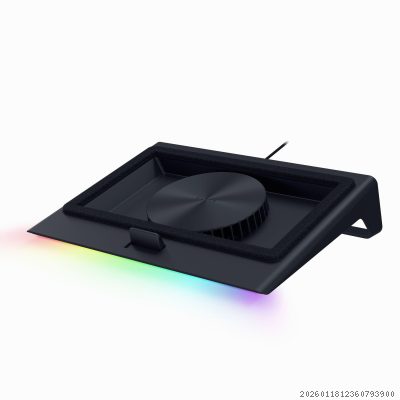
Premium smart cooling with 140mm fan up to 3000 RPM. Intelligent auto-adjustment via Razer Synapse based on laptop temperature. Airtight pressure chamber design. 3 magnetic interchangeable frames for 14-18" laptops. HyperBoost mode for Razer Blade laptops unlocks extra performance. 3-port USB-A hub. Chroma RGB lighting. Lab-tested 18% temperature reduction.

✅ Pros
  • Smart auto fan speed via Synapse
  • Airtight pressure chamber design
  • HyperBoost for Razer Blade laptops
  • 3-port USB hub with Chroma RGB
❌ Cons
  • Expensive at $170
  • Loud at max speed (up to 62 dB)
  • Requires AC adapter
  • Best features limited to Razer laptops
2
IETS GT500 V2

IETS GT500 V2

★★★★★ 4.8/5
$89.99 ±

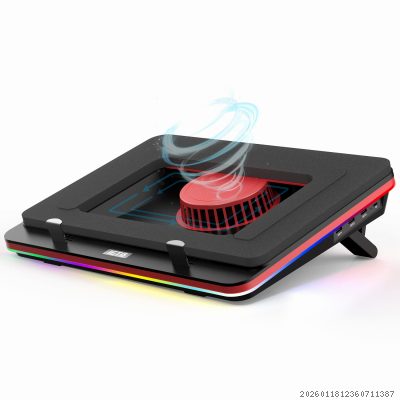
Industrial-grade turbo fan reaching 5000 RPM — the most powerful on market. Sealed foam gasket creates airtight connection boosting cooling effect 3x. Drops temperatures 10-20°C in real-world tests. 7-level height adjustment. RGB with 14 light modes. 3-port USB hub. Removable dust filter. Supports 13-17.3" laptops. Warning: up to 65 dB at max speed.

✅ Pros
  • Industry-leading 5000 RPM turbo fan
  • Sealed foam boosts cooling 3x
  • 10-20°C real temperature drop
  • Removable dust filter protects laptop
❌ Cons
  • Very loud at 65 dB max speed
  • Requires dedicated power adapter
  • Higher price than basic coolers
  • Overkill for light laptop use
1
Llano V12 Ultra

Llano V12 Ultra

★★★★★ 4.9/5
$149.99 ±

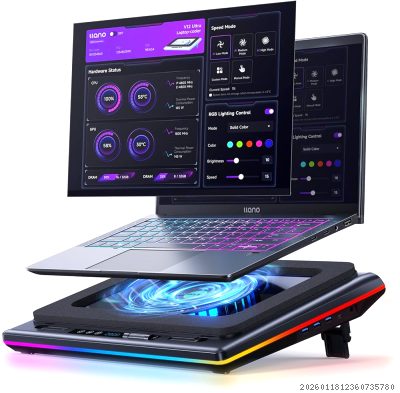
The coldest cooling pad tested by TechRadar. 5.5" (140mm) industrial turbo fan at 2800 RPM with 36W power. AI-powered Myth.cool software auto-adjusts speeds based on workload. Lab-tested: drops CPU/GPU temps by 22-25°C in 90 seconds. Supports 15.6-21" laptops. 3x USB 3.0 ports. 3 height angles. RGB lighting. Dust filter included. Premium at $150-187.

✅ Pros
  • Best-in-class 22-25°C temp reduction
  • AI software auto-adjusts fan speed
  • Supports huge laptops up to 21"
  • USB 3.0 hub with dust filter
❌ Cons
  • Premium price at $150+
  • Loud at high speeds
  • Software Windows-only (no Mac/Linux)
  • Bulky design, not portable

✅ Advantages

  • Reduce laptop temperatures by 5-25°C preventing thermal throttling
  • Extend laptop lifespan by reducing heat stress on components
  • Improve gaming and productivity performance during intensive tasks
  • Provide ergonomic benefits with adjustable height angles
  • Add extra USB ports for peripherals and accessories

❌ Disadvantages

  • High-performance models can be loud (50-65 dB)
  • Premium turbo-fan pads cost $100-200
  • Take up desk space and reduce portability
  • Effectiveness varies by laptop vent design
  • Some require external power adapters

❓ Frequently Asked Questions

Do laptop cooling pads actually work?

Yes, quality cooling pads reduce temperatures by 5-25°C depending on type. Industrial turbo fans (IETS GT500, Llano V12) achieve 15-25°C drops, while budget multi-fan designs typically reduce temps by 5-10°C. This prevents thermal throttling and extends laptop lifespan.

How many fans is best for a laptop cooling pad?

Single large turbo fans (140-200mm) at high RPM consistently outperform multiple small fans in testing. However, 5-fan designs like Kootek offer better coverage for laptops with multiple heat zones. For gaming laptops, prioritize fan power (RPM) over quantity.

Are laptop cooling pads loud?

Budget pads run 30-45 dB (library quiet). High-performance turbo fans like IETS GT500 reach 65 dB at max speed — similar to normal conversation. Most pads offer variable speed control to balance cooling vs. noise for your needs.

What size cooling pad do I need?

Match your laptop screen size: 12-17" laptops fit most standard pads. Gaming laptops 17-19" need large models like Thermaltake Massive 20 RGB. The Llano V12 Ultra supports laptops up to 21". Smaller pads can work with larger laptops but cooling efficiency drops.

Is a cooling pad worth it for gaming?

Absolutely. Gaming laptops generate 80-95°C under load. Cooling pads reduce this by 10-25°C, preventing thermal throttling that causes FPS drops. Tests show 5-15% performance improvements in sustained gaming sessions with quality cooling pads.

How much should I spend on a laptop cooling pad?

Budget ($20-35): Kootek, Havit, KLIM for basic cooling. Mid-range ($40-90): IETS GT500, Thermaltake for serious gaming. Premium ($120-200): Llano V12 Ultra, Razer for maximum performance and smart features. Most users are well-served in the $25-60 range.

Can I use a cooling pad on my lap?

Most cooling pads are designed for desk use due to blocked airflow concerns. However, slim models like Havit HV-F2056 (1.1" thick, 1.6 lbs) and Cooler Master X-Slim work on laps. Avoid turbo-fan models on soft surfaces — they require free air intake.

Do cooling pads damage laptops?

No, when used correctly. Quality pads with dust filters (IETS GT500, Llano V12) actually protect laptops by filtering debris. Ensure your laptop's intake vents align with the cooling pad's fans for optimal airflow. Avoid using pads without proper ventilation underneath.